Why WebRTC Audio Streams Experience Desync During Long-Duration Collaborative Sessions on Low-Power Devices
Why WebRTC Audio Streams Experience Desync During Long-Duration Collaborative Sessions on Low-Power Devices
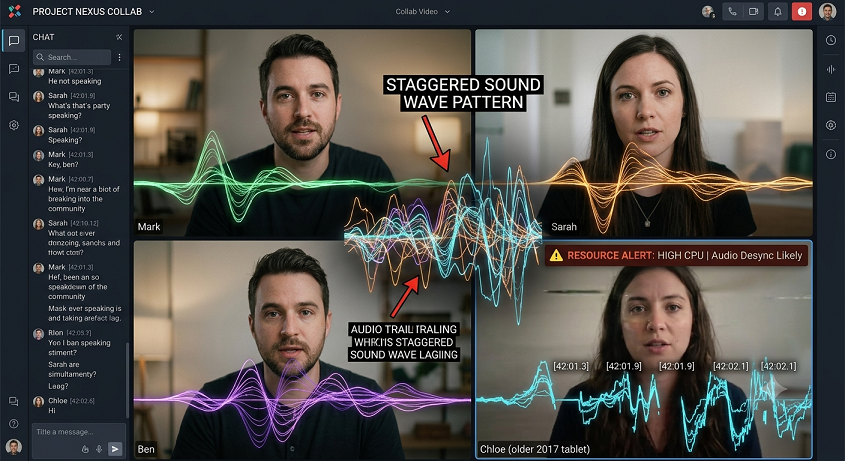
WebRTC has become one of the key technologies for real time communication on the modern web, enabling voice conversations, video conferencing, collaborative workplaces, remote classrooms and browser-based meetings without the need for dedicated applications. Its goal is to enable low latency communication, by sending audio and video straight from peer to peer whenever possible. WebRTC operates effectively on modern hardware, but users of low power devices typically experience that during long collaborative sessions, audio slowly drifts out of sync. Voices can fall behind the camera, talks can overlap unnaturally or people can have delayed responses even while they are actively connected. concerns like these are rarely due to a single technological fault but rather to a combination of hardware and network circumstances, browser resource management and long-term synchronization concerns. Understanding these characteristics helps explain why audio desynchronization becomes more noticeable over long WebRTC sessions.
How WebRTC Manages Audio Streams
WebRTC collects audio from the microphone, compresses that audio into efficient digital packets, sends those packets over the network, and reconstructs the audio stream at the receiving device. In this procedure the browser handles buffering , timing correction , packet sequencing and synchronization with any accompanying video . These procedures happen hundreds of times per second while keeping the quality of natural discourse. WebRTC deals with real-time communication rather than faultless delivery of data . It tries to keep latency at a minimum even with changes in network circumstances . This balance allows for a responsive discourse, but also requires constant processing, putting a strain on system resources at all times.
Why low-power devices have a harder time
Low power devices are meant for battery life and energy efficiency, not for significant computing over the long term. They often include processors that run at lower clock rates and have fewer performance cores than those used in high-end desktop systems. In protracted WebRTC sessions, the processor must at the same time encode outgoing audio, decode incoming media, manage browser rendering, process encryption and handle operating system activities. More resource use may cause the device to have difficulty maintaining processing intervals. These little delays mount over time, making it increasingly difficult to keep the audio and video synchronized as the collaborative sessions continue.
Role of Audio Buffers and Timing
WebRTC uses well-controlled audio buffers to compensate for small differences in network transmission and processing speed. Incoming audio packets are buffered for a short time before being played back, permitting a seamless conversation even if the packet arrival time varies slightly. If the device is unable to handle these buffers consistently due to processing constraints or competing background activity, playback timing starts to drift. You can increase the size of the buffers to prevent dropouts, but bigger buffers mean more delay. In long sessions , such time tweaks could slowly cause significant audio de-syncing without ever fully losing the connection .
Network stability more than internet speed
Internet speed is still vital but synchronization is increasingly more dependent on steady latency and predictable packet delivery. Low-power devices are often used to communicate over wireless networks where signal quality may vary as the user moves, nearby devices compete for bandwidth, or transient interference impacts transmission. WebRTC has built-in mechanisms to cope for these situations by modifying buffering and packet recovery techniques. But the networks fluctuate repeatedly over long time-scales, requiring continual corrections, which increases the complexity of synchronization. It could be a slow timing drift. Even little packet loss or jitter can add up in the face of restricted processing resources.
Background processes and competition of resources
WebRTC sessions are rarely completely isolated. Open tabs , browser extensions , notifications , automated updates , background scripts . Modern browsers still deal with them as long as communication is active . At the same time, the operating system carries out memory management, security monitoring, synchronization activities and power optimization. These background tasks contend directly for processor time and accessible memory with real-time audio processing on low-power systems. Even modest scheduling disturbances can hold up the processing of audio packets long enough to affect synchronization in long meetings, especially when numerous browser tabs are open during the conversation.
Power Management & Thermal Throttling
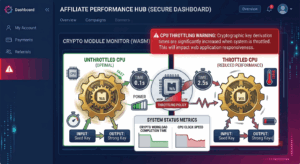
Long lasting communication sessions cause continuous processor activity which results in increasing device temperature over time. Many low-power devices utilize thermal throttling and power management strategies to automatically lower processor speed to prevent overheating and save battery life. These techniques ensure the reliability of the hardware, but also limit the processing capacity that may be allocated to WebRTC media. The performance of the CPU is degraded, and the time required for encoding, decoding, and synchronization activities is increased. Thus, another contributing element for increased audio delay during long collaborative sessions that can last for several hours is the gradual degradation of performance.