Bypassing Hardware Key Constraints When Web Apps Force Specific Biometric Prompts
Bypassing Hardware Key Constraints When Web Apps Force Specific Biometric Prompts
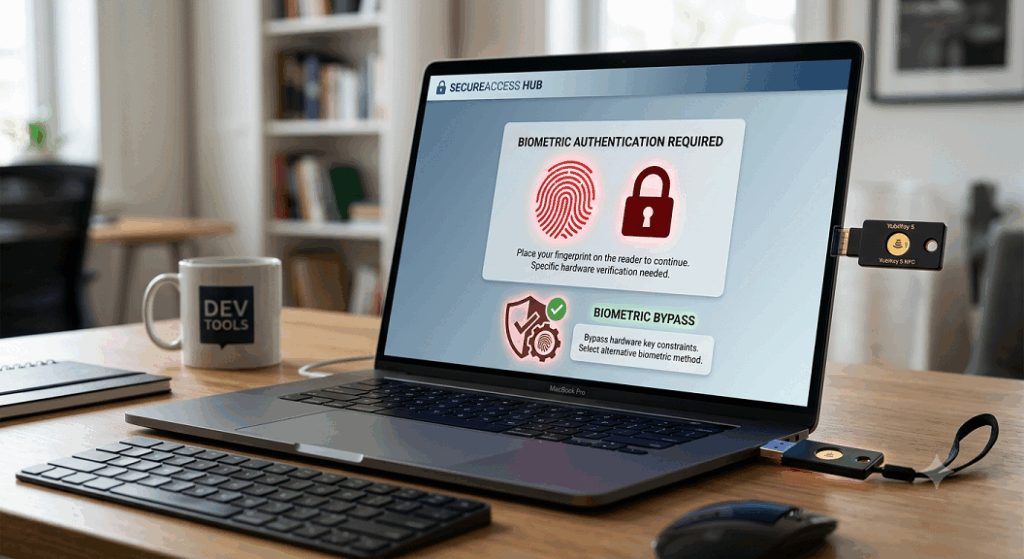
Modern web applications rely more and more on strong authentication solutions to protect sensitive user accounts and corporate resources. Passwords are increasingly often complemented or replaced by hardware security keys, biometric verification, and passwordless authentication technologies that are more resistant to phishing and credential theft. These authentication techniques add security, but sometimes users find instances where a web service appears to require a certain biometric prompt, even if their registered hardware security key has other authentication options available. This might lead to confusion when users want to login via a preferred method but are instead offered a fingerprint or facial recognition prompt that may not be available on their current device. By understanding the factors that authentication systems use to decide which verification methods are available, these behaviors can be explained and companies may use these factors to create more flexible and reliable authentication experiences without sacrificing security.
Understanding Hardware Security Keys and Biometrics
Hardware security keys use cryptographic authentication, storing private credentials in dedicated hardware designed to resist extraction by unauthorized parties. Authentication might be as simple as physically touching the device , or it can be a PIN , biometric , or both . The biometric authentication does not replace the cryptographic security provided by the hardware key. Instead, it ensures that the authentic user is the one allowing the access before the hardware conducts the cryptographic transaction. When using the same online service, the authentication experience can differ dramatically from one device to another, due to the varied verification capabilities of security keys.
How Web Applications Ask for Authentication
Web apps have no influence over how authentication is performed in a hardware security device. Instead, customers submit authentication requests that specify criteria and preferences as to what verification techniques are acceptable. The operating system and browser handle these requests and talk to the authentication hardware. The authentication system may suggest biometric authentication, ask the user to confirm, or display other available authentication methods based on the information provided by the application. So the end experience is a cooperation between the application, browser, operating system and hardware security device and not any one software component functioning alone.
How you might get biometric prompts automatically
Most authentication platforms promote biometric verification for its blend of high security and ease of use. When browsers or operating systems identify suitable hardware, they could automatically offer prompts for fingerprint or facial identification without first offering other options. In some situations, organizational security rules also promote or demand biometric verification for certain classes of apps or sensitive resources. As a result, consumers may feel that the online application is mandating biometric authentication, when the behavior is actually a product of the operating system’s preferences, the browser’s authentication frameworks, or the enterprise’s security settings to tighten identity verification.
Browser and OS Role
Today’s browsers act as a bridge between online apps and authentication hardware. They handle communication with operating system authentication services to manage associated security keys, biometric devices, and local authentication credentials. Each operating system has its own authentication preferences based on the previously successful verification methods, the recorded biometric information and the available hardware capabilities. If you have more than one way to authenticate, those selections at the platform level determine the order in which the prompts appear. Over time, upgrades to the browser and improvements to the operating system may also affect the authentication routines, leading to changing user experiences without modifications to the underlying web application.
Hardware Compatibility & Authentication Flexibility
Authentication hardware is available in a variety of verification types, communication protocols, and operating systems. Some gadgets will have a basic physical confirmation using a touch sensor while others will provide built-in fingerprint readers or other verification functionalities. Similarly, some computers come with built-in biometric technology that can be used in conjunction with external security keys. If many authentication techniques are available simultaneously, browsers and operating systems will examine the possibilities and pick the right one for authentication. Variations in hardware capabilities can explain scenarios where the same web application presents various authentication prompts on different devices or operating environments.
Effective Handling of Authentication Settings
The most reliable authentication experiences are created by consistent configuration across user devices, browsers and authentication hardware. Updating your browser and operating system helps keep your authentication up-to-date and your devices better supported. Regularly examining the registered authentication methods provides users with insight into the verification choices still available for certain accounts. The organization also benefits from well-defined procedures around authentication that mix high security and practical usage. By making sure hardware is registered consistently and authentication processes are standardized, employees do not get confused when they access company resources from different devices throughout the day.
Developer considerations to improve user experience
Instead of assuming that biometrics are universally available, application developers can increase authentication usability by building flexible login workflows that take into account the range of hardware capabilities. Good messaging around authentication helps consumers understand why they see specific prompts during sign-in. Support for numerous suitable authentication methods provides accessibility without compromising security. In addition, developers should verify authentication across different browsers, operating systems and hardware configurations to ensure consistency before release. A well-designed authentication workflow reduces unnecessary user frustration while maintaining the integrity of modern passwordless security systems.
Building Authentication Environments for Tomorrow
Authentication technologies are continuing to evolve to be more secure, easier to use, and more compatible with hardware. Hardware security keys, biometric verification and passwordless authentication will increasingly function together as integrated components of comprehensive identity management systems. As technologies mature, organizations that maintain an up-to-date authentication infrastructure, enable various compatible verification methods, and educate users about authentication behavior will suffer fewer usability difficulties. When users and administrators understand how browsers, operating systems, hardware security devices, and web applications work together in authentication, they can build reliable, secure, and flexible sign-in experiences that adapt to the growing diversity of modern authentication hardware and biometric technologies.