How to Audit and Revoke Persisted Web Bluetooth Permissions from Forgotten IoT Web Applications
How to Audit and Revoke Persisted Web Bluetooth Permissions from Forgotten IoT Web Applications
online Bluetooth has added a new dimension to modern online apps by enabling compatible websites to talk directly to nearby Bluetooth-enabled devices. On compatible browsers, users can connect to smart sensors, wearable devices, industrial equipment, medical peripherals, development boards, and a variety of Internet of Things (IoT) goods without needing to install dedicated desktop software. It makes device maintenance easier and also easier browser-based control interfaces across many platforms. But as customers try out several IoT applications over time, browsers may hold onto previously granted Bluetooth rights for trusted websites. After months or years have passed, people forget which permissions they gave, but browsers still keep a record of that access. These permissions are meant to make things easier, but it’s a good idea to audit and revoke any superfluous Bluetooth access from time to time as an important element of browser security and keeping your connected devices from being caught up in unexpected interactions.
Web Bluetooth permissions explained
The Web Bluetooth API enables websites to ask permission before talking with nearby Bluetooth devices. Access to Bluetooth devices is different from normal webpage interactions – the connected devices may be sharing sensitive data or controlling physical equipment and so need express user consent. When consent is given, the browser stores the authorization information so that users do not have to go through the consent process each time they visit. This permission model strikes a balance between usability and security by not allowing websites to surreptitiously access Bluetooth hardware without the user’s explicit approval.
How Permission Persistence Works
Modern browsers have permission databases that record the choices of users for different device capabilities, such as Bluetooth access. Whenever users revisit an allowed website, the browser will check these stored records and determine if a new request for permission is necessary. Depending on browser implementation and user settings, permissions may be invalidated if associated browser data is cleared, may automatically expire after a certain time, or may be kept until the user manually clears them. This constant authorization makes it easier to manage devices over and over again, but it might lead to a collection of rights that the user is no longer really paying attention to over time.
Why Forgotten Permissions Build Up
Many users, over the lifetime of their devices, try browser-based IoT demos, device configuration tools, firmware administration interfaces, and testing platforms. Once doing these, the websites tend to be forgotten, but the permissions for the websites are still saved locally in the browser. Authorization data also get out of current due to device upgrades, terminated services, completed development projects, and obsolete hardware. As browsers accrue Bluetooth permissions for sites that users may no longer be familiar with or want to use, frequent permission evaluations become increasingly important.
Possible Dangers of Unused Bluetooth Permissions
Persisted Bluetooth permissions do not necessarily lead to immediate security concerns, but adding access unnecessarily increases the number of trusted relationships that the browser needs to track. If users go back to sites they have previously permitted, the site may start Bluetooth communication again without asking for permission, depending on how the browser handles permissions at that moment. By reducing unneeded permissions, exposure is reduced and better long-term security management is supported for linked IoT environments as browsers continue to implement security constraints during device communication.
Identify active Bluetooth authorizations
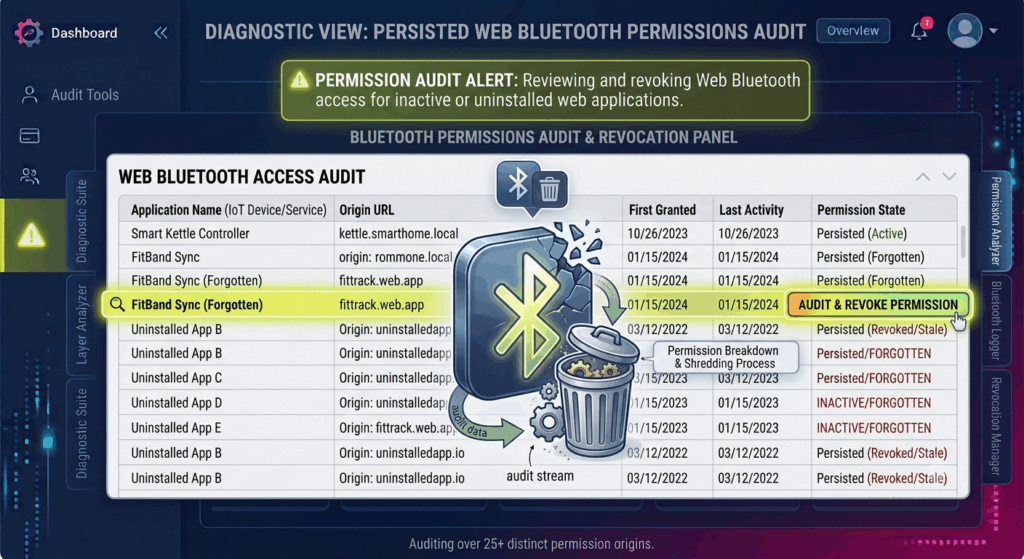
Most recent browsers have built-in permission control screens where users may see which sites presently have hardware access permissions. Bluetooth permissions are sometimes lumped in with camera, microphone, location, notification and other sensitive browser features. These data can be used to identify expired authorizations for ceased services, decommissioned IoT devices, or temporary testing settings. Regular review also helps to identify between regularly utilized device management platforms and permissions that no longer serve a practical function.
Why You Should Review Your Permissions Regularly
As the ecosystems of connected devices continue to grow, regular audits of permissions remain an effective way to ensure browser security. Reviewing saved Bluetooth authorizations enables users to consider whether each authorized website continues to require permanent access to hardware. Removing obsolete permissions removes needless trust ties, requiring renewed user approval for future device connections. For organizations that operate shared workstations or shared development environments, in particular, regular audits are an absolute must. Hardware rights may be granted by different users over the long hours of operation, and browser authorizations will accumulate.
Safely Managing Permissions Best Practices
The key to good Bluetooth permissions control is only giving access to your hardware to trusted sites that really need to communicate with neighboring devices. Users should regularly review browser permission settings, especially following temporary device configuration tasks or when decommissioning older IoT devices. Modern browsers have better permission management, continual security improvements and improved user controls. Developers also play a role by only asking Bluetooth access when essential and providing clear explanations as to why hardware permissions are needed. Such practices increase user awareness and overall browser security.
Building Safer IoT Environments on Browsers
With browser technologies becoming more fully integrated with connected devices, permission management will remain a core aspect of safe web-based IoT interactions. Web Bluetooth empowers powerful browser apps to configure, monitor, and manage increasingly sophisticated gear without the need for specific software installations. At the same time, effective permission management means you do not have to sacrifice convenience for long-term security. Through understanding Bluetooth permissions persistence, regularly auditing stored permissions, revoking stale permissions, and keeping browser environments up to date, users and organizations can create secure and well-managed IoT ecosystems that enable reliable device communication while reducing unnecessary hardware access from forgotten web applications.