Why Cross-Device Audio Routing Drops When Switching Between Desktop Communication Apps and Paired Bluetooth Devices
Why Cross-Device Audio Routing Drops When Switching Between Desktop Communication Apps and Paired Bluetooth Devices
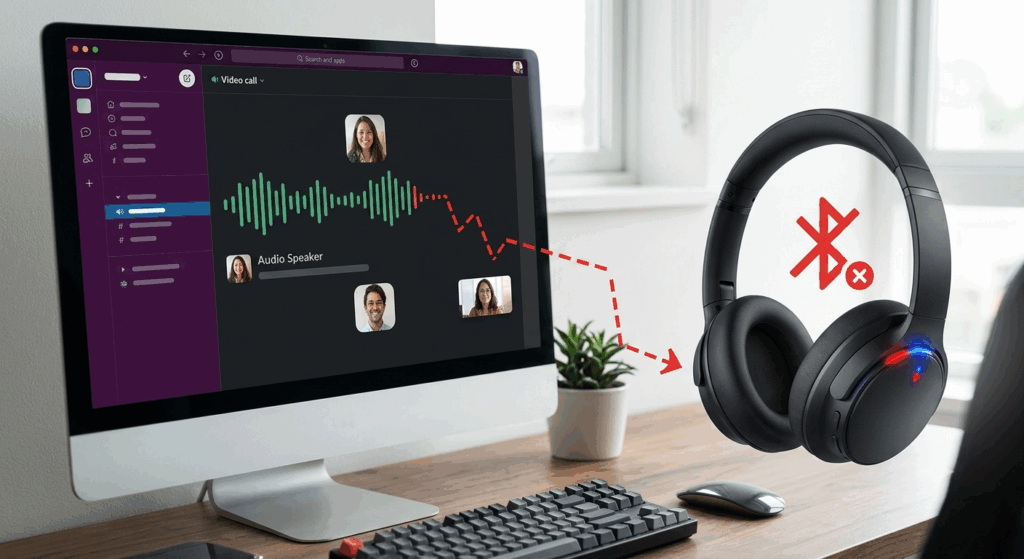
Today’s desktop ecosystems offer a seamless experience across video meetings, voice calls, music playback, and multimedia applications on the same Bluetooth headset or wireless earbuds. This flexibility promotes productivity, but users can encounter unexpected difficulties when routing audio between communication programs and associated Bluetooth devices. Sometimes the audio can suddenly switch back to the built-in speakers, microphones might stop responding or an app might fail to detect the chosen wireless device. These pauses are generally due to the interaction between operating system audio management, Bluetooth connection profiles, application specific audio management and hardware resource allocation. Knowing how these components interact allows users to better troubleshoot routing issues and keep audio performance steady over long work periods.
Audio Routing Between Devices
Cross-device audio routing is the technique an operating system uses to identify where incoming and outgoing audio should go. Each desktop system checks for attached playback devices, recording hardware, communication apps, and user settings while sending audio streams to the correct endpoint. Bluetooth headsets add complexity because they are both a speaker and a microphone at the same time. Multiple communication apps compete for access to these devices, and the operating system must continually negotiate which application gets priority. However, disruptions in this decision process are common and can lead to short-term routing failures that break up conversations or media playing.
Bluetooth Audio Profiles: How They Affect Connectivity
Bluetooth devices use distinct communication profiles for different types of audio. One profile is usually used for high quality stereo playback . Another profile is used for two way audio communication and is suited for the simultaneous usage of a microphone and speaker . The operating system often needs to switch between different profiles without disconnecting the device, for example, to switch between music playback and voice calls. During this transition, audio resources may be temporarily lost from desktop apps as the Bluetooth stack re-configures the connection. When numerous apps require various audio capabilities at the same time, switching profiles becomes more complex and raises the chance of transitory routing disruptions.
Why Communication Apps Are Fighting for Audio Devices
Desktop communication apps often try to get exclusive control of microphones and speakers so voice quality is consistent during calls. When users switch between communication platforms, each applications may claim the same Bluetooth device independently for a limited period of time. The operating system has to decide which program to give priority to and free up audio resources from the previous session. Either program may delay the device release or continually seek to reclaim it, resulting in audio routing problems. These conflicts often present as missing audio, inaccessible microphones, or sudden switching between wifi and built-in hardware during chats.
**The Role of Audio Management in an Operating System**
Sophisticated audio management systems are provided with contemporary operating systems, which enable many playback devices, recording sources and concurrent applications. These systems continuously check the availability of the device and dynamically assign default communication and multimedia outputs. Automatic switching of devices increases convenience but could introduce unexpected routing behavior when new hardware is identified. Any change in the quality of Bluetooth signals, the order in which applications are started or default communication settings may affect routing decisions. Operating system updates can also change audio management behavior, so users should examine previously functional setups after software upgrades.
How Bluetooth Signal Stability Affects Routing
For Bluetooth to function reliably, the wireless connection between the paired devices must be stable. Interference from other wireless devices nearby, physical obstructions, a crowded radio environment, or being too far away may momentarily impair the strength of your connection without disconnecting your device entirely. The little disruptions may cause the desktop operating system to think the Bluetooth headset is no longer available and switch audio to other hardware automatically. In some cases, after the wireless connection is established programs do not instantly restore the routing to its former state. That would explain why some audio still comes via the desk speakers even when the Bluetooth connection appears to be entirely restored.
Driver Interactions and Software Compatibility
Routing audio relies largely on the cooperation of operating system components, Bluetooth drivers, hardware firmware, and communication software. Outdated drivers may not support new Bluetooth features added with operating system updates. Similarly, communications apps developed for earlier audio handling systems may not play well with the latest operating system enhancements. When recognizing devices, firmware discrepancies on the Bluetooth devices themselves might also affect profile transitions. And by keeping the software versions on all the interconnected components synchronized, routing conflicts may be greatly reduced and the overall stability of communication can be much improved while often moving between applications.
Adjust your audio settings for dependable operation
If your audio is configured correctly, you will not see unexpected routing changes during normal operation. Dedicated default playback and communication devices are more reliable with several audio outputs attached at the same time. You can check the audio preferences for each program to make sure that each communication platform uses the microphone and speaker you want it to use, instead of having the operating system make all the decisions automatically. Also, disabling unused Bluetooth devices reduces competition for device detection and routing decisions. Periodic examination of the paired device lists removes old hardware entries that may interfere with automatic device selection and cause unneeded routing confusion.
Keeping Cross-Device Audio Workflows Stable
Reliable cross-device audio routing can be ensured by performing frequent maintenance of software and hardware environments. “Keeping operating systems, Bluetooth drivers, communication apps, and device firmware up to date can help to assure continuing compatibility as wireless technologies continue to evolve.” After a large software upgrade, rebooting Bluetooth services can refresh device registrations and remove intermittent syncing problems. Users who often move between different communication platforms benefit from standardized audio setups that avoid unwanted automatic adjustments. Through the use of robust wireless connectivity, software component upgrades, well-managed Bluetooth devices, and carefully calibrated audio preferences, users can offset routing failures and preserve uniform communication experiences across desktop ecosystems and paired Bluetooth devices in demanding daily workflows.