The Hidden Impact of Ad-Blocker Cosmetic Filtering on Vital UI Elements in Niche Web Portals
The Hidden Impact of Ad-Blocker Cosmetic Filtering on Vital UI Elements in Niche Web Portals
Ad blockers have become a norm in today’s web surfing, helping consumers to cut down on annoying ads, speed up page loading times, and increase their online privacy. Many ad blockers also offer cosmetic filtering , a function that hides page elements matching predefined filtering rules , in addition to blocking advertising requests . Cosmetic filtering may successfully remove banners, promotional widgets and sponsored content on many websites, but can also damage legitimate interface components that have similar names, layouts or design. The problem is most acute for specialist web portals, where customized dashboards, control panels and business apps use design structures that inadvertently resemble advertising elements. This can make important buttons, menus, forms, or navigation panels disappear, causing consumers to think the website itself is broken. Knowing how cosmetic filtering works allows developers and consumers to continue to have dependable web experiences without sacrificing surfing preferences.
What is Cosmetic Filtering in Ad Blockers
Cosmetic filtering varies from typical ad blocking in that it is concerned with hiding visual elements after a webpage has loaded. The browser does not block network requests but rather inspects the page structure and uses predefined criteria that search for common patterns of advertising content, such as specific classes, identifiers, properties or layout patterns. The matching items are then hidden from view, but are not necessarily removed from the underlying document. This method allows for better page layouts while keeping a lot of the original website content. But cosmetic filtering is based on pattern matching, not on knowing the underlying purpose of each interface component.
How Filtering Rules Find Page Elements
Most cosmetic filters are driven by big rule sets that look for similar advertisement patterns across thousands of sites. These rules look for properties such element names, style properties, document structure, and common identifiers. For instance, containers with phrases connected to promotions, banners, sponsors, or marketing may become candidates for cosmetic filtering. These strategies work well for traditional advertising, but sometimes they match unrelated interface elements with similar naming standards or layout structures to advertising components. It is this resemblance that explains why sometimes legitimate application functions are suddenly lost after cosmetic filters are added.
Why Niche Web Portals Are More Exposed
Specialized commercial applications, research platforms, technical dashboards, educational systems and administrative portals may have very different interface designs from mainstream websites. Developers may employ descriptive identifiers for notification panels, status banners, informational widgets, or promotional announcements that inadvertently seem like standard advertising terms. These unusual interfaces are more likely to get caught in the unintentional filter since cosmetic filter rules are designed to be broadly compatible rather than specific to a particular application. For users of specialty portals this means they may be left without controls, but the application itself is perfectly working underneath the hidden interface features.
Cosmetic Filter Symptoms You’ll Usually Notice
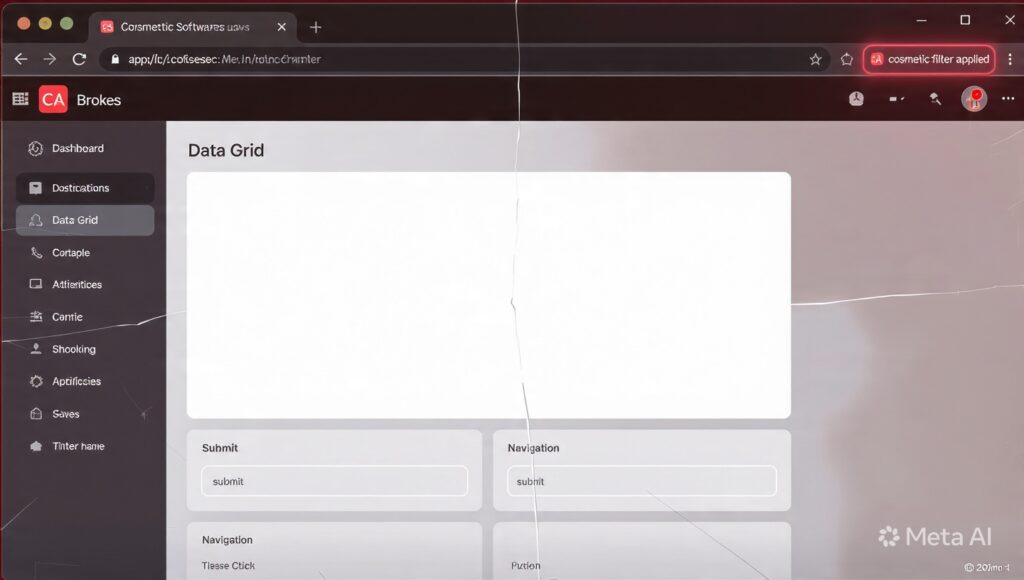
Cosmetic filtering problems usually seem minor – the website in question loads fine, but some of the interface elements are not displayed. Users may experience missing navigation menus, vacant areas of the dashboard, inaccessible settings panels, missing download buttons or unfinished forms. There may still be interactive things lurking in there. So parts of the page may perform strangely even though they look blank. In collaborative business environments, one user may see the full interface, and another user may report missing features, simply because of different browser extensions or filtering lists active. These inconsistencies can make troubleshooting difficult unless cosmetic filtering is regarded as a possible reason.
Relationship between Page Structure and Filters
Modern online applications are increasingly depending on reusable interface components, dynamic content production and modular page construction. These produced structures are then analyzed by cosmetic filters after the page is rendered by the browser. They can also be removed instantly if they meet existing filtering rules, even if they are perfectly acceptable for application reasons. New additions or regular changes to the interface can also be affected if their identifiers look like patterns targeted by well-established filter lists. As a result, even well-designed programs may face unforeseen compatibility concerns as filtering rules evolve separately over time.
Finding the Right Balance Between Application Functionality and Privacy
Ad blockers deliver substantial privacy and usability benefits by cutting down on unwanted tracking and decreasing annoying ads. However, the implementation of this protection needs a careful trade-off between severe screening and preservation of critical website functionality. Most contemporary filtering solutions allow users to disengage cosmetic filtering for specific trustworthy websites while still blocking ads elsewhere. Specialized web portals run by organizations also benefit from designing interface components with unambiguous, application-specific naming conventions that avoid unintentional matches with common advertising filters. Mindful configuration on both ends supports application performance without compromising privacy gains.
Best Practices for Developers and Users
To reduce the chance of cosmetic filtering conflicts, developers can name interface components with generic identities often used for advertising. Testing in multiple browsers and common filtering setups on a regular basis helps to find compatibility problems before going live. If users are having mysterious interface issues, check whether the page look is influenced by browser extensions by deactivating cosmetic filtering temporarily or trying the program in a clean browser. Updated browsers and extension versions also help with compatibility – filtering rules keep developing, as does browser rendering behavior, to accommodate emerging web technologies.
Building Better Web Experiences
As privacy technologies get more advanced, cosmetic filtering will remain a key feature for users looking for cleaner and more secure surfing experiences. At the same time specialized web apps must continue to evolve to ensure that key parts of the interface are available under different browser circumstances. Knowing how cosmetic filtering does its thing with page structures enables developers to build UIs that are less likely to hit unwanted hiding rules but still usable in varied situations. Understanding how browser extensions, filtering systems, document structure and application design interact enables organizations to build robust niche web portals that maintain full functionality even in browsers with advanced ad-blocking and cosmetic filtering technologies.