Diagnosing Browser Memory Leaks Triggered by Continuous DOM Manipulation in Single-Page Applications
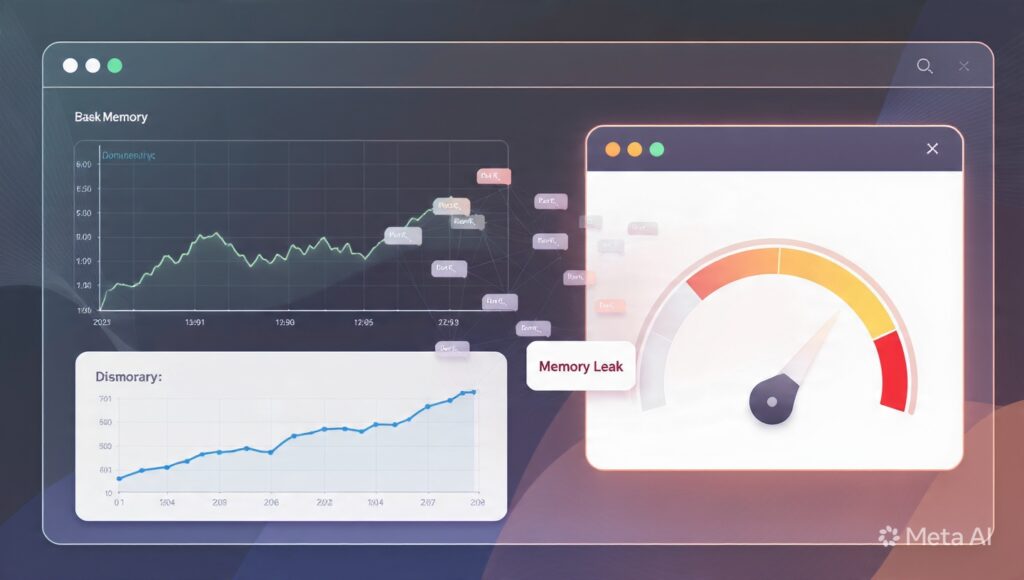
Diagnosing Browser Memory Leaks Triggered by Continuous DOM Manipulation in Single-Page Applications
Single-page applications have revolutionized the way modern web development is done by providing fast and responsive user experiences without having to reload the whole page. These programs don’t load new documents from the server over and over again, but update the content of the existing webpage dynamically, allowing for smooth navigation and engaging interfaces that seem like genuine desktop software. This architecture enhances efficiency and usability but also poses new issues for long-term memory management. Applications that constantly generate, change and delete Document Object Model (DOM) elements could slowly take up more and more memory of the browser, if resources are not correctly released. Over time , these memory leaks can lead to loss of responsiveness , processor use increase , slower interface interactions , and eventually browser instability . Knowing how constant DOM manipulation leads to browser memory leaks can help developers construct more efficient applications that maintain consistent performance over long periods of user interaction.
Understanding DOM in Modern Web Applications
The Document Object Model is a representation of the whole webpage in a system of connected objects that browsers may utilize to render and control page content. Everything you can see – text, photos, buttons, forms, menus, interactive parts – are a node in this hierarchy. Single page apps commonly change these nodes as users interact, as background changes happen, or as server replies come in without reloading the entire site. The user navigates through the application and the browser updates the DOM to reflect changes in the state of the UI, while trying to keep interactions seamless and rendering efficient.
Why Continuous DOM Manipulation Uses More Memory
Dynamic interfaces rely on the regular creation, alteration and removal of DOM elements during normal operation. Users can launch dialogs, load more content, show notifications, or browse between views of the application. New components appear. If obsolete items still get referenced after they disappear visually, the browser can not garbage collect the memory associated with them, even though those objects are no longer relevant. Over longer sessions this process repeats itself and useless items start to collect slowly increasing overall memory utilization. The ensuing memory expansion is frequently not observed during brief testing sessions, but becomes more and more significant during extended time usage of the application.
How Browser Memory Management Works
Modern browsers have powerful garbage collection mechanisms that automatically manage memory by identifying things that are no longer needed by the program. When an object becomes unreachable, the garbage collector will eventually reclaim the memory it occupies for reuse. But trash collection relies on being able to correctly determine if objects are still referenced elsewhere in the program. If there are scripts, event listeners, timers or application data structures that still refer to old DOM nodes, the browser considers these items are still needed and keeps them around forever. As a result, the memory consumption keeps growing, even if the corresponding UI elements are no longer visible.
Typical sources of DOM-related memory leaks
Memory leaks are often caused by ignored application behavior rather than evident technical bugs. Existing event listeners on removed items may remain alive unless they are expressly freed. Timers and scheduled background operations sometimes hold references to defunct interface components after navigation. Cached application data can be held in unneeded DOM objects by indirect references stored in larger data structures. Detached DOM nodes are also a source of persistent memory increase, when DOM nodes are no longer visible on the page but are still held internally. In themselves these problems may look little, but together they have a major effect on long-term application stability.
Memory Leak Symptoms
If the browser has memory leaks then the application will become slower over a period of time but not immediately. After extended use, users may experience growing lag while opening menus, changing views, or interacting with interface elements. Browser tabs may use ever-increasing amounts of RAM without corresponding increases in displayed information. Scrolling and animations become less responsive. Processor activity may remain increased even when the user is interacting minimally. In extreme cases, browsers may warn about high memory usage or kill resource-hogging tabs to keep the system as a whole stable.
Performance Impact on Single-Page Application
Single-page applications, unlike standard multi-page websites, which frequently reload the entire browser document, often remain operational for hours without a full reinitialization. Such a persistent execution environment increases the effect of inefficient memory management, as unused resources accumulate during the lifetime of the application. As memory use increases, browsers take more time for garbage collection, layout recalculation and resource management. These background tasks interfere with normal interface rendering and degrade responsiveness, even when there is adequate remaining CPU capacity. Long-running enterprise dashboards, collaboration platforms and monitoring systems are especially vulnerable because they are generally left open all day long.
Strategies to Prevent Memory Growth
Good memory management starts with creating application components that release resources as soon as they are no longer needed. And it greatly minimizes the chances of persistent memory growth by removing unneeded event listeners and timers as well as obsolete references to objects. Developers should also reuse existing interface components wherever possible instead than duplicating the same structures over and over again. Long simulated use periods with frequent performance testing can uncover incremental memory growth missed by shorter development sessions. Efficient application architecture allows browsers to successfully reclaim unneeded resources through conventional garbage collection operations.
Building Resilient Long-Running Web Apps
As single-page apps are more common than traditional web interfaces in business, education, and consumer platforms, effective memory management becomes increasingly crucial to provide predictable user experiences. By understanding the interaction between memory allocation, trash collection and the browser’s DOM lifecycle, developers may write applications that remain responsive over long periods of time. It is also essential to apply resource clean up, design the components carefully, evaluate the performance periodically and test for compatibility periodically to ensure sustainable application performance. By understanding this relationship between continuous DOM manipulation and browser memory behavior, organizations can build robust single-page applications that provide consistent responsiveness, effective resource management, and sustained stability even under heavy workloads and prolonged user sessions.